![Lupo Digital logo(white).png]](https://help.lupodigital.com/hs-fs/hubfs/images/logos/Lupo%20Digital%20logo(white).png?height=40&name=Lupo%20Digital%20logo(white).png)
To identify Hubspot Marketing Emails with poor deliverability:
- Navigate to Marketing > Email
- Click the Analyze tab
- Choose the date range to analyze
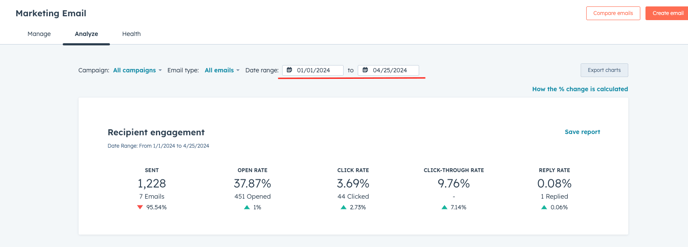
- Scroll down to the Email performance dashboard
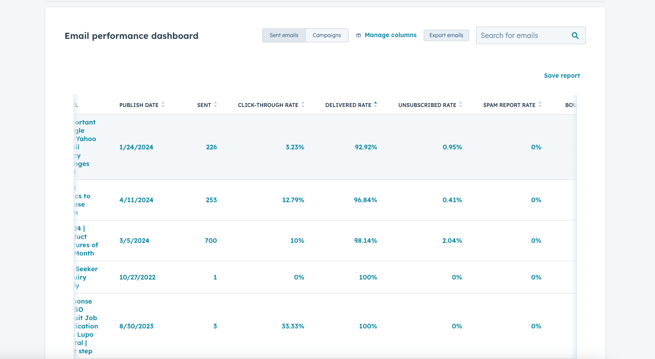
- Sort the table using the Delivered rate column in ascending order
Note if you are not seeing the "Delivered Rate" column, click on Manage columns then select Delivery Rate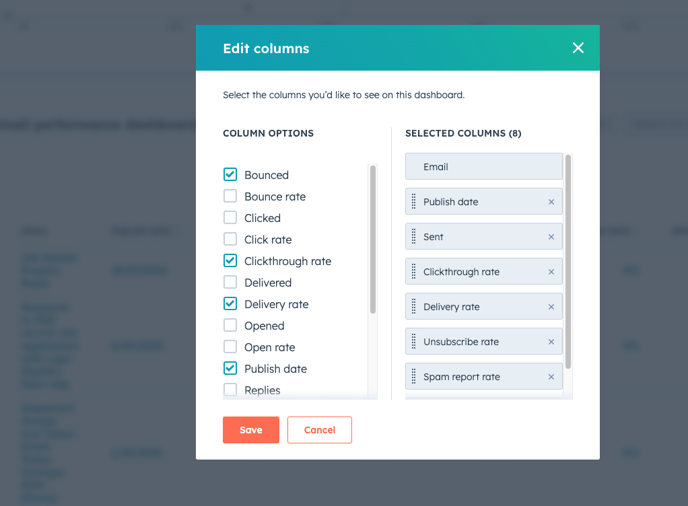
- Marketing Emails with lowest Delivery rate in the selected date range will be listed in the top of the table